Basic
$9.9one-time
- 120 Credits included
- $0.08 per credit
- HD video generation
- lip-sync & body animation
- download enabled
- email support
A sparse-frame video dubbing framework that syncs lips, head, body, and expressions from audio for infinite-length videos with stable identity.
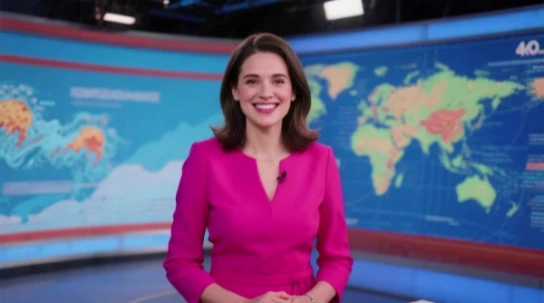
InfiniteTalk is a sparse-frame video dubbing framework for audio-driven video generation. Given an input video and an audio track, it synthesizes a new video with accurate lip synchronization while naturally aligning head movements, body posture, and facial expressions with the speech.
Unlike traditional dubbing methods that focus only on lip movements, InfiniteTalk supports infinite-length video generation with stable identity preservation. It also operates in an image-and-audio-to-video mode, generating realistic talking videos from a single image and an audio input.
Follow these three simple steps to create AI lip-sync videos in minutes.
Choose a video or image, then upload your speech, podcast, or dialogue audio to dub it with InfiniteTalk AI.
Select the output resolution (480p or 720p). Optionally, add a prompt to guide actions or facial expressions.
Click “Generate Video” to use your credits and wait for the video to be processed.
See how community members use InfiniteTalk AI to create lifelike avatars, dynamic dubbing, and more.
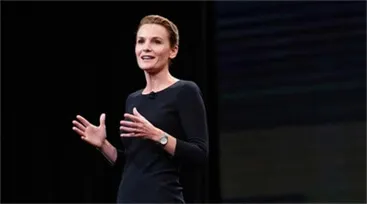


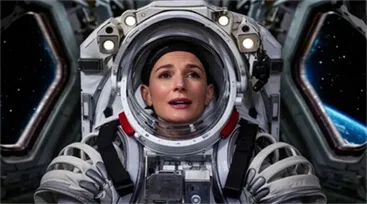





Join the community and start creating your own InfiniteTalk AI videos. Create your video now and share your work with us for a chance to be featured!
Create your video nowSee how InfiniteTalk AI transforms audio and video into lifelike, lip-synced performances with precision and creative flexibility.
Synchronize not just lip movements but also head position, body posture, and facial expressions using advanced sparse-frame dubbing.
Remove time limits and create lip-synced videos of any length without sacrificing quality or identity consistency.
Enjoy smooth, distortion-free animations with reduced hand and body artifacts. Built to keep visuals stable.
Achieve precise lip sync that aligns perfectly with speech rhythm, timing, and intonation.
Choose between audio-to-image or audio-to-video modes. Create talking portraits from static images or dub existing footage.
Use text prompts to guide expressions, emotions, or gestures. Add personality without manual animation.
Replace or add voiceovers to any video clip with natural lip synchronization and smooth transitions.
Export your videos in multiple resolutions (480p, 720p, 1080p). Perfect for social media or professional production.
See how InfiniteTalk AI’s core technologies deliver precise synchronization, fluid motion, and flexible output.
Advanced audio analysis drives precise lip sync and coordinated movement across the face and body.
Avoids visual glitches and maintains fluid, continuous motion even in long recordings by overlapping frame chunks.
Choose from multiple export options such as 480p and 720p to balance rendering speed and visual detail.
Smart quantization help InfiniteTalk AI run smoothly on a range of hardware, including systems with limited VRAM.
With these technical capabilities, InfiniteTalk AI empowers creators to generate natural, high-quality talking avatars without the usual limitations.
InfiniteTalk AI offers versatile use cases that meet the needs of various industries and creators.
Create long-form tutorials, educational videos, and storytelling content with realistic, lip-synced avatars. InfiniteTalk AI ensures consistency and natural performance throughout.
Use animated hosts, virtual characters, and presenters for live streams, variety shows, digital concerts, and storytelling. InfiniteTalk AI helps bring your creative ideas to life.
Produce professional avatars for product demos, investor updates, and training modules. InfiniteTalk AI delivers polished, reliable virtual presenters for corporate use.
Create expressive avatars that improve communication for communities in need of audio-visual support. InfiniteTalk AI enhances accessibility with clear, engaging messages.
Facilitate language learning, research, and interactive experiments with intelligent avatars and accurate dubbing. InfiniteTalk AI is a powerful tool for educational engagement.
Deliver consistent avatars across multiple languages. InfiniteTalk AI is ideal for global branding, enabling seamless communication in diverse markets.
With InfiniteTalk AI, you can quickly turn audio into realistic video content, maintaining natural expressions and identity consistency throughout.
Understand the main strengths and limitations of InfiniteTalk AI so you can decide if it fits your video dubbing and avatar creation needs.
Creators, educators, and professionals around the world have shared positive experiences with InfiniteTalk AI for generating realistic, lip‑synced talking videos with minimal effort.

"InfiniteTalk AI transformed my workflow. I used to spend hours syncing audio to video by hand. Now I upload my audio and a portrait image, and within minutes I have a polished talking video. The lip sync and facial expressions are impressively accurate."

"I tested several tools for long‑form video generation. InfiniteTalk AI handled videos much longer than most competitors without jitter or identity drift, and the output stayed smooth throughout."

"Easy to use even for beginners. I had no editing experience and was able to generate engaging social media clips and lecture previews in under 10 minutes."

"Stable and expressive motion syncing. Head movement, posture shifts, and facial responses matched the audio tone more naturally than other solutions I've tried."
Purchase InfiniteTalk AI credits once and use them anytime to generate videos without subscription or recurring fees.
💡: InfiniteTalk AI converts audio and video into lip‑synced, lifelike talking avatars by synchronizing speech with facial expressions, head movement, and body motion. It supports both image‑to‑video and video‑to‑video generation.
💡: Credits are used to generate videos in InfiniteTalk AI. You purchase a credits pack once, use credits to generate videos, and credits never expire. When credits run out, you can buy more packs anytime without a subscription.
💡: No. InfiniteTalk AI does not require a subscription. You only pay for the credits you buy, and those credits remain in your account indefinitely until used.
💡: The number of credits consumed depends on video length and resolution. Longer videos and higher resolutions use more credits in InfiniteTalk AI.
💡: Yes. InfiniteTalk AI supports unlimited video length generation, allowing you to create extended content such as lectures, podcasts, or interviews as long as you have sufficient credits.
💡: InfiniteTalk AI uses Stripe for secure, encrypted payment processing, supporting major credit and debit cards, and ensuring safe transactions worldwide.
💡: Yes. You can request a refund within 7 days of purchase if you are not satisfied with your credit pack. This policy applies to credits bought for InfiniteTalk AI.
💡: Yes. InfiniteTalk AI credits can be used to generate videos for commercial use, including marketing content, training materials, and client projects, as long as you comply with the platform's terms of service.
💡: No. If a video fails to generate due to a technical error or system issue, InfiniteTalk AI will refund the credits back to your account. Credits are only consumed when a video is successfully generated.
💡: 24/7 support is available for InfiniteTalk AI users. Whether you need help using credits, generating videos, or troubleshooting, the support team is ready to assist you at any time.